

Artificial intelligence tools are everywhere in 2026. New platforms appear almost every week, promising to automate tasks, save hours, and boost productivity. Yet many people download a tool, watch several tutorials, and still struggle to apply it to their actual work.
If this sounds familiar, you are not alone.
The problem is not a lack of intelligence or technical ability. The problem is that most people use the wrong learning approach. Instead of focusing on practical outcomes, they try to understand every feature before doing anything useful.
The good news is that you can learn any AI tool in 2 hours if you follow a structured framework designed for everyday users. Whether you want to use AI for writing, automation, note-taking, research, meetings, or productivity, the process is surprisingly similar.
This guide will show you exactly how to learn any AI tool in 2 hours and start getting real value immediately.
If you want to understand how these tools connect into a full system, it’s worth exploring AI productivity & Workflow Systems for Everyday Users at a deeper level.
Why Most People Fail to Learn AI Tools Quickly
Many users assume that becoming productive with AI requires extensive training. As a result, they spend hours consuming content without ever applying what they learn.
Here are the most common mistakes:
| Common Mistake | Why It Slows You Down |
|---|---|
| Watching endless tutorials | Passive learning creates little retention |
| Trying to master every feature | Most features are irrelevant to your immediate needs |
| Learning without a goal | Information becomes difficult to apply |
| Using fake examples | Real-world situations are different |
| No repetition | Skills disappear quickly |
One of the biggest hidden problems behind this is how to avoid tool overload, where users keep switching between apps instead of mastering one workflow.
The reality is simple.
You do not need to become an expert to gain value. You only need to solve one meaningful problem. That is the core philosophy behind this framework to learn any AI tool in 2 hours.
The 2-Hour AI Learning Framework
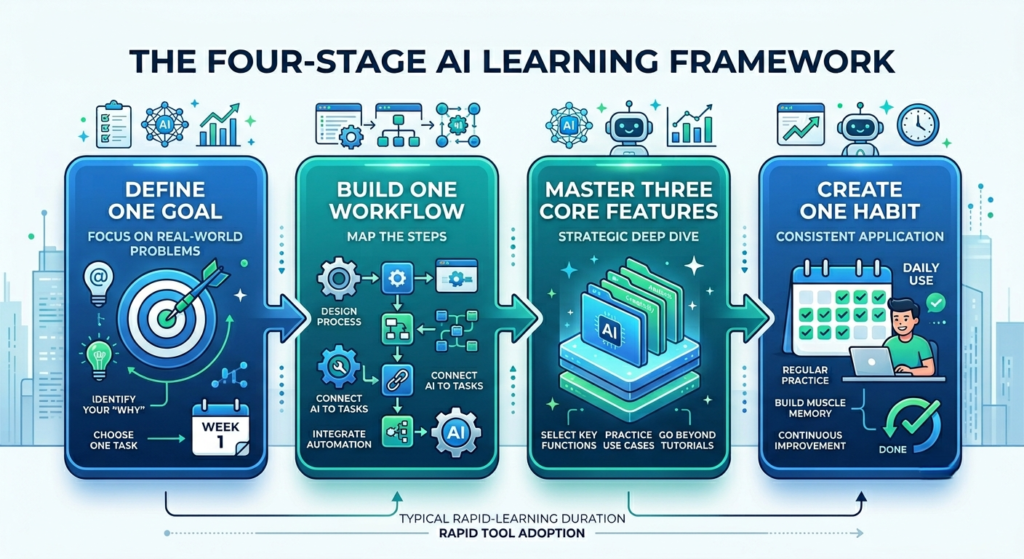
The framework consists of four focused stages.
Each stage takes approximately 30 minutes:
- Define one specific goal.
- Build one real workflow.
- Master three core features.
- Create a repeatable habit.
By the end, you will have practical competence rather than theoretical knowledge.
Step 1: Define One Specific Goal
Most people begin with a vague objective:
- “I want to learn Notion AI.”
- “I want to understand Zapier.”
- “I want to master ChatGPT.”
These goals are too broad.
Instead, define a specific outcome that will improve your daily workflow.
Use this template:
AI Tool: Tool name
Goal: One specific result
Current Problem: What you currently do manually
Success Measure: What success looks like
Example
AI Tool: Zapier
Goal: Automatically save email attachments to Google Drive
Current Problem: Downloading and organizing files manually
Success Measure: No manual downloads for one week
This approach dramatically increases your chances of success because it eliminates distractions.
When your objective is clear, it becomes much easier to learn any AI tool in 2 hours without feeling overwhelmed.
Step 2: Build a Real Workflow Immediately
One of the fastest ways to learn is through direct application.
Avoid spending time on abstract examples.
Instead, build the exact workflow you need.
Most AI tools already provide:
- Templates
- Starter projects
- Quick-start guides
- Workflow examples
Use them.
Practical Process
- Open the template library.
- Search for your intended use case.
- Connect your accounts.
- Replace sample information with your own data.
- Run a real test.
Example: Learning Zapier
Suppose you want to automate email attachments.
Instead of watching multiple videos:
- Open Zapier templates.
- Search for email attachment workflows.
- Connect Gmail.
- Connect Google Drive.
- Send a test email.
- Confirm the file arrives correctly.
Within minutes, you have a working automation.
This practical approach is one reason why you can learn any AI tool in 2 hours rather than spending days on tutorials.
If you’re still deciding which automation tool fits your workflow style, a deeper comparison of Zapier vs Make vs n8n for Everyday Users can help you choose wisely.
Step 3: Focus on the Three Features That Matter Most
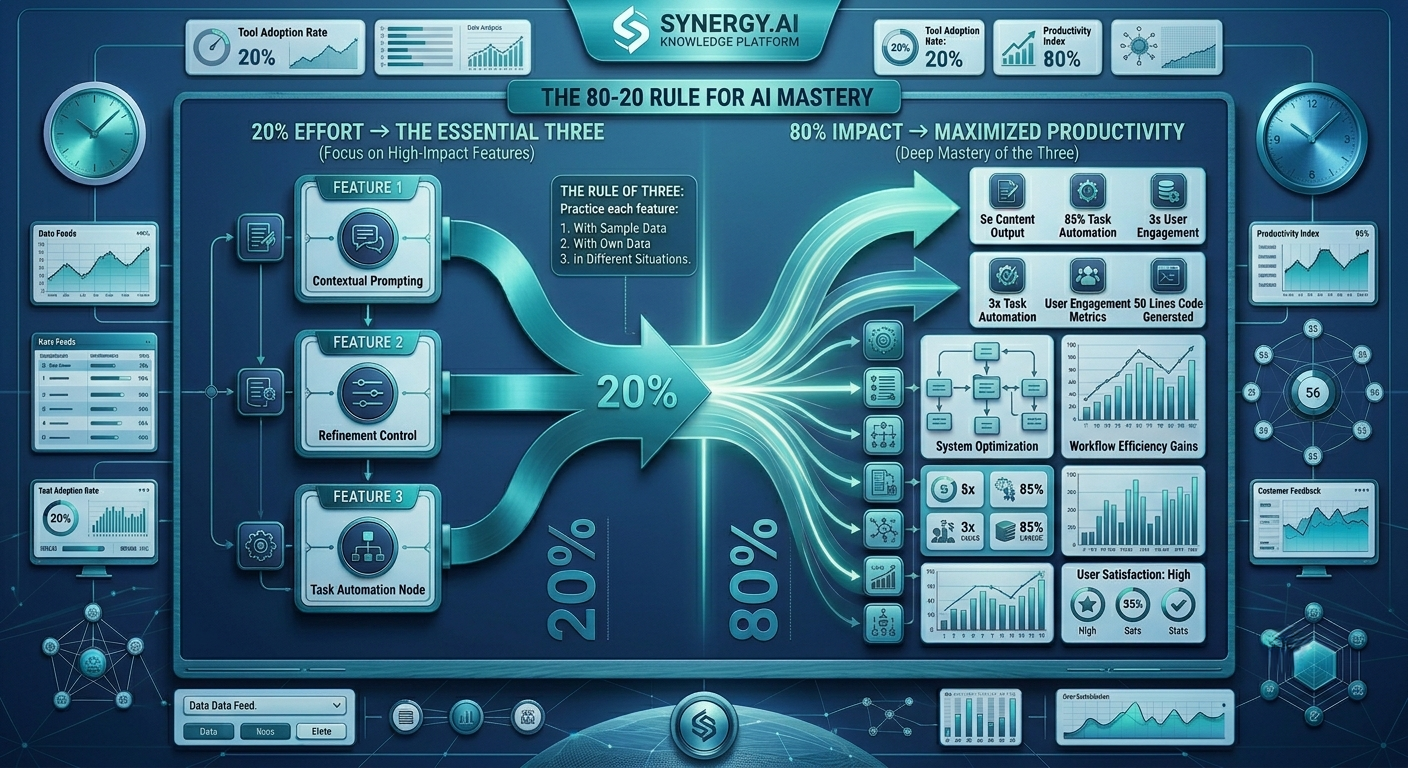
Every AI platform contains dozens or even hundreds of features.
Most users need only a few of them.
Instead of trying to understand everything, identify the three functions that will create the greatest impact.
Examples
| Tool | Feature 1 | Feature 2 | Feature 3 |
|---|---|---|---|
| ChatGPT | Prompting | Refinement | Task generation |
| Notion AI | Summarization | Content drafting | AI assistance |
| Zapier | Automation setup | App connections | Workflow testing |
| Mem | Smart search | Auto-tagging | Knowledge retrieval |
| Fireflies | Meeting recording | Summaries | Transcript sharing |
The Rule of Three
Practice each feature three times:
- Once with sample data.
- Once with your own data.
- Once in a slightly different situation.
This creates enough repetition for long-term retention.
If your goal is to learn any AI tool in 2 hours, focusing on the essential features produces far better results than trying to memorize everything.
Step 4: Turn the Tool Into a Habit
A tool only becomes valuable when it becomes part of your routine.
Many people successfully build a workflow and then never use it again.
Avoid this mistake by creating a simple habit system.
Daily AI Habit
- Open the tool.
- Use its primary feature.
- Complete one real task.
Weekly AI Habit
- Review results.
- Improve the workflow.
- Identify additional time savings.
Example With Notion AI
Daily:
- Open Notion.
- Summarize meeting notes.
- Generate action items.
Weekly:
- Review summaries.
- Organize tasks.
- Improve templates.
When AI becomes part of your routine, productivity gains compound over time.
That is why the ability to learn any AI tool in 2 hours can create long-term benefits far beyond the initial learning session.
For deeper note-taking systems, it helps to compare Mem vs Notion AI tools before committing.
A Real Example: Learning an AI Tool in One Afternoon
Consider a freelance copywriter who receives dozens of client emails every day.
The manual process involves:
- Reading messages
- Downloading files
- Organizing information
- Creating project notes
The freelancer decides to automate the workflow using Zapier.
First 30 Minutes
Define the goal:
“Automatically organize client emails and create project records.”
Second 30 Minutes
Build the workflow:
- Connect Gmail
- Connect Google Drive
- Connect Notion
- Run a test
Third 30 Minutes
Practice key features:
- Create automations
- Connect applications
- Test workflows
Final 30 Minutes
Create a habit:
- Review automations daily
- Check results weekly
- Improve filtering rules
Result:
The freelancer saves approximately one hour every day.
This demonstrates how practical it can be to learn any AI tool in 2 hours when focusing on outcomes instead of theory.
Common Mistakes That Slow Learning
Trying to Learn Everything
AI platforms are designed with many advanced capabilities.
Most users need only a small fraction of them.
Solution: Focus on your immediate use case.
Consuming Too Much Content
Watching tutorials feels productive but often produces little practical skill.
Solution: Spend more time doing than watching.
Using Artificial Examples
Fake examples rarely reflect your actual workflow.
Solution: Work with real tasks from day one.
Lack of Repetition
One successful attempt is not enough.
Solution: Repeat core actions multiple times.
No System for Continued Use
Many people abandon tools after the initial excitement.
Solution: Create daily and weekly routines.
Advanced Optimization Tips for 2026
Once you become comfortable with the basics, use these strategies to accelerate progress.
Use Built-In Learning Resources
Modern AI tools include:
- Interactive tutorials
- AI assistants
- Templates
- Guided onboarding
These resources are often more effective than random videos.
Save Successful Workflows
Whenever a workflow works well, save it.
Examples include:
- Email automation templates
- Research workflows
- Content creation systems
- Meeting note templates
Join User Communities
Online communities often provide faster answers than traditional searches.
You can discover:
- Workflow ideas
- Productivity hacks
- Common troubleshooting fixes
- Real-world use cases
Measure Time Saved
Track your weekly time savings.
When users see measurable benefits, they are more likely to continue using the tool.
Why This Framework Works
The reason this framework succeeds is simple.
It aligns learning with outcomes.
Traditional learning asks:
“What does this tool do?”
Productive learning asks:
“What problem can this tool solve for me today?”
That shift changes everything.
By focusing on one objective, one workflow, three essential features, and one habit, you dramatically reduce complexity.
This is the fastest path to learn any AI tool in 2 hours without becoming overwhelmed.
Related Reading
To continue building your AI productivity system, explore these resources:
- AI Productivity & Workflow Systems for Everyday Users: The Complete 2026 Guide
- 10 Quick Wins in Your First 30 Days with AI Productivity
- How to Avoid Tool Overload
- Zapier vs Make vs n8n for Everyday Users
- Mem vs Notion AI for Everyday Note-Taking
Together, these guides create a complete framework for using AI efficiently in work and daily life.

Final Thoughts
Most people spend too much time learning and too little time applying.
The goal is not to become an AI expert overnight. The goal is to become productive as quickly as possible.
If you follow the framework outlined in this guide, you can learn any AI tool in 2 hours, solve a real problem, and begin saving time immediately.
Start with one goal.
Build one workflow.
Master three core features.
Create one habit.
That simple system is enough to transform a confusing AI tool into a valuable productivity asset.