

Why Research Feels Overwhelming in the Digital Age
Have you ever spent an hour researching a topic only to realize you can no longer remember where your most valuable source came from?
Modern research isn’t difficult because information is scarce. It’s difficult because there is simply too much of it. A single project can generate dozens of browser tabs, PDFs, bookmarked articles, videos, and scattered notes. What begins as productive information gathering often turns into a frustrating hunt for sources, quotes, and insights.
This is exactly why Otio for Research has gained attention among students, researchers, consultants, and content creators. Unlike traditional research tools, Otio for Research helps users transform scattered information into a structured knowledge system, and instead of managing information across multiple tools, it creates a centralized AI-powered workspace that helps you collect, understand, and synthesize knowledge faster.
Many professionals experience the same frustrating cycle:
- Save useful articles but forget where they are.
- Download PDFs that disappear into folders.
- Copy quotes without remembering the original source.
- Spend more time organizing research than actually learning from it.
Traditional tools solve only part of the problem. Bookmark managers store links. PDF readers display documents. Note-taking apps capture thoughts.
What most researchers need is a system that connects everything into one intelligent workspace.
That’s exactly where Otio stands out.
Whether you’re writing a thesis, conducting market research, preparing a client report, or creating well-researched content, this guide will show you how to build a faster and more organized research workflow using Otio.

What Is Otio for Research and How It Works
Otio is an AI-powered research workspace designed to help users collect, organize, analyze, and synthesize information from multiple sources in one place.
Instead of juggling multiple applications, you can centralize your entire research process inside a single environment.
Official Website:
https://otio.ai/
The platform combines source collection, AI-powered summarization, knowledge management, and drafting tools into a unified workflow.
Think of it as a research assistant that helps you understand information instead of simply storing it. The primary goal of Otio for Research is to make information easier to understand, organize, and reuse.
How Otio Works as an AI Research Workspace
Turning Information Into Conversations
The core idea behind Otio is simple:
You upload sources, and then you can interact with them using AI.
Rather than manually reading hundreds of pages, you can ask questions such as:
- What are the main arguments in these papers?
- Which sources disagree with each other?
- What trends appear across these reports?
- Summarize this research in plain language.
Otio analyzes your uploaded material and provides answers based only on the sources you’ve provided.
This creates a more interactive and efficient research experience.
Supported Research Sources
Otio supports multiple content formats, including:
- Web articles
- Blog posts
- Academic PDFs
- Research papers
- YouTube videos with transcripts
- Personal notes
- Reports and whitepapers
Because real-world research rarely comes from a single source, this flexibility makes the platform particularly useful.
Key Benefits of Using Otio for Research
These advantages explain why Otio for Research is becoming increasingly popular among students and professionals.
1. Reduced Information Overload
Everything is stored in one searchable workspace, eliminating scattered files and endless browser tabs.
2. Faster Research
Tasks that previously required hours of reading can often be completed in minutes through AI-assisted analysis.
3. Better Understanding
Otio doesn’t just summarize content. It identifies patterns, relationships, contradictions, and themes across sources.
4. Improved Accuracy
Generated insights include source references, helping users verify information quickly.
5. Increased Productivity
Students, researchers, and professionals can move from information gathering to actionable insights much faster.
12 Smart Strategies to Get More from Otio for Research
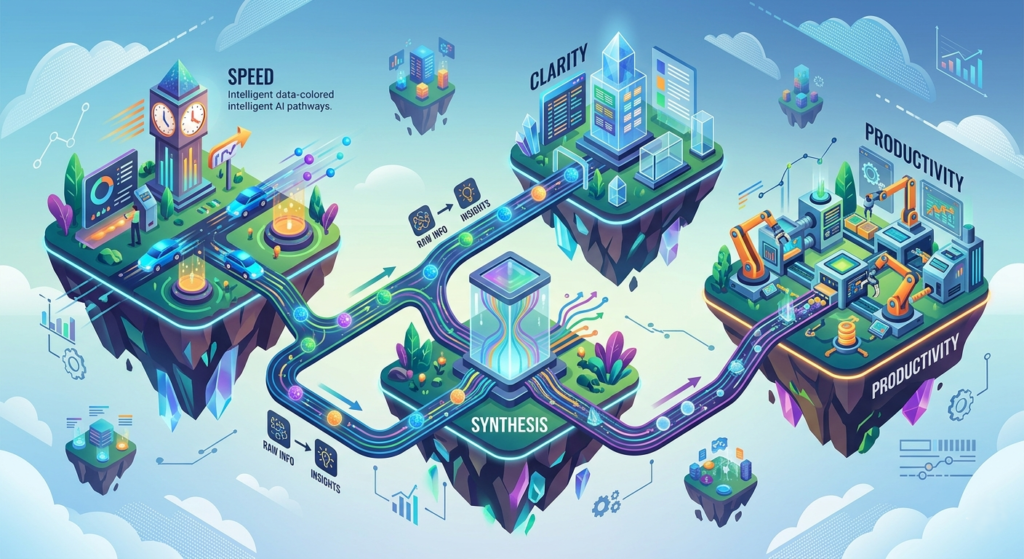
The difference between casually using Otio and truly benefiting from it often comes down to workflow. The following strategies can help you organize information more effectively, reduce research time, and generate better insights from your sources.
1. Create Topic-Specific Collections
Avoid storing everything in one workspace. Create dedicated collections for each project orresearch area.
2. Save Valuable Sources Immediately
When you find useful information, save it right away using the browser extension before it gets lost among open tabs.
3. Upload PDFs Instead of Storing Them Locally
Bringing documents directly into Otio makes them searchable and easier to reference later.
4. Import Educational Videos
Research often extends beyond written material. Use YouTube transcripts to include lectures, interviews, and expert discussions.
5. Ask Comparative Questions
Instead of summarizing one source at a time, ask Otio to compare findings across multiple documents.
6. Generate Summaries Before Reading Everything
Start with AI-generated summaries to quickly understand whether a source deserves deeper attention.
7. Verify Important Claims Through Citations
Always use source tracking features when working on academic or professional projects.
8. Keep Collections Focused
Smaller, well-organized collections generally produce more accurate AI responses than overly broad research libraries.
9. Use Split-Screen Note-Taking
Read, analyze, and write simultaneously without switching between multiple applications.
10. Create Automated Research Briefs
Use generated briefs to identify key insights, recurring themes, and major conclusions.
11. Combine Different Source Types
Blend articles, PDFs, reports, and videos together to build a richer knowledge base.
12. Build a Repeatable Research Workflow
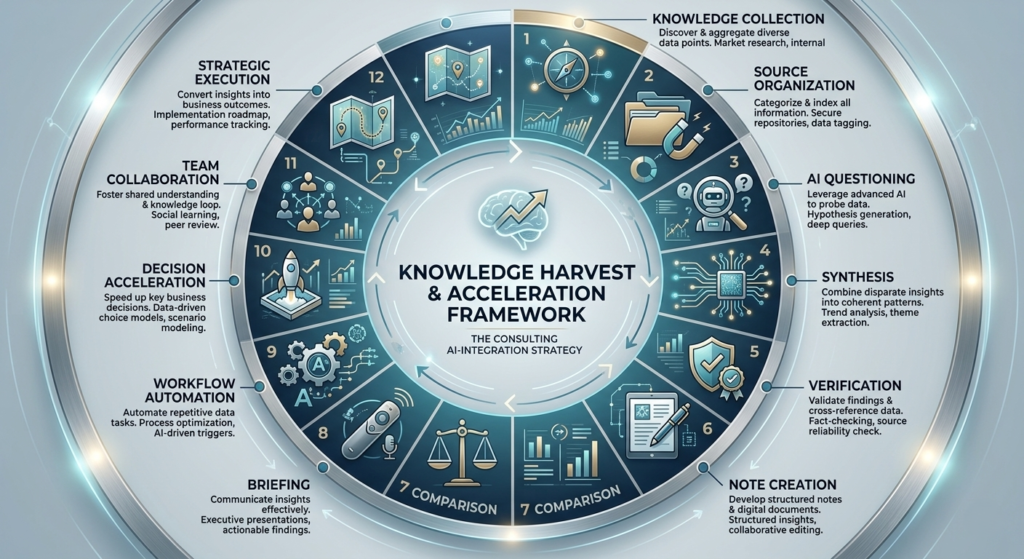
Develop a consistent process for collecting, organizing, analyzing, and drafting. The more structured your workflow becomes, the more value you’ll get from Otio over time.
How to Set Up Otio for Research
Setting up Otio for Research properly from the beginning creates a stronger long-term workflow. Getting started with it takes only a few minutes.
Step 1: Create an Account
Visit the Otio website and sign up using:
- Email address
- Google account
Step 2: Complete Onboarding
The onboarding process introduces:
- Workspaces
- Collections
- Source management
- AI chat functionality
Spend a few minutes understanding these features before uploading large amounts of information.
Step 3: Create Your First Workspace
Think of a workspace as your digital research lab.
Examples include:
- AI Productivity Research
- Thesis Project
- Market Analysis 2026
- Customer Research
A well-structured workspace improves AI responses and keeps projects organized.
Installing the Browser Extension
One of the most valuable features of Otio for Research is its browser extension.
The extension allows you to save content directly from the web into your research collections.
Benefits include:
- One-click article saving
- Reduced bookmarking clutter
- Faster source collection
- Seamless workflow integration
Once installed, you’ll be able to build your research database while browsing naturally.
Creating Smart Research Collections
Collections are topic-specific folders that organize your sources.
Examples:
AI in Education
Research papers, case studies, and educational reports.
Competitor Analysis
Industry reports, market research, and company profiles.
Literature Review
Academic journals, conference papers, and thesis references.
Creating focused collections helps the AI understand context more accurately.
Adding Sources to Otio
Saving Web Articles
When you find a useful article:
- Click the browser extension.
- Select a collection.
- Save the article.
The content becomes searchable and available for AI analysis.
Uploading PDFs
PDF support is especially useful for academic research.
Simply drag and drop documents into your workspace.
Otio automatically:
- Reads the content
- Indexes information
- Makes documents searchable
- Enables AI Q&A
Importing YouTube Videos
Paste a YouTube URL into your workspace.
Otio extracts transcripts and converts spoken content into searchable knowledge.
This is useful for:
- Lectures
- Interviews
- Tutorials
- Industry discussions
Understanding AI Research Synthesis
Research synthesis is where Otio for Research delivers its biggest advantage.
Instead of reviewing multiple documents separately, the AI can analyze them collectively. This capability is one of the biggest reasons researchers adopt Otio for Research over traditional methods.
For example, you can ask:
What common themes appear across these five studies?
Or:
Where do these reports disagree?
The system generates a unified explanation based on all uploaded materials.
This feature is especially useful for:
- Literature reviews
- Market research
- Competitive intelligence
- Strategic planning

How to Ask Better Research Questions
The quality of AI responses depends on prompt quality.
Weak Prompt
“What is artificial intelligence?”
Better Prompt
“What economic risks of AI automation are discussed across these uploaded reports?”
Best Practices
- Be specific.
- Mention desired outcomes.
- Reference uploaded sources.
- Ask comparative questions.
The more precise the question, the more useful the answer.
Using Citations and Source Tracking
A major concern with AI tools is trustworthiness.
Otio addresses this by linking insights directly to source material.
Benefits include:
- Easy verification
- Improved academic credibility
- Faster fact-checking
- Reduced risk of misinformation
This makes the platform particularly attractive for students and researchers.
Split-Screen Writing and Note-Taking
One of the most productive features is the split-screen workspace.
You can:
- Read source material
- Take notes simultaneously
- Ask AI questions
- Draft content without switching tabs
This significantly reduces context switching and improves focus.
For researchers who also use AI writing tools, you may find our related guides useful:
- How to Use Notion AI for Everyday Writing Tasks
- GrammarlyGO vs Jasper AI
- Mem vs Notion AI
You can internally link these cluster articles from your AI productivity content hub.
Generating Automated Research Briefs
Otio can automatically create research briefs from multiple sources.
Typical outputs include:
- Key findings
- Major themes
- Supporting evidence
- Contradictory viewpoints
- Executive summaries
This capability is especially valuable for:
- Business presentations
- Academic reports
- Client deliverables
- Content planning
Otio vs Traditional Research Methods
| Feature | Traditional Research | Otio for Research |
| Source Management | Multiple tools | Centralized workspace |
| Note-Taking | Manual | AI-assisted |
| Summarization | Time-intensive | Automated |
| Comparison | Manual reading | AI synthesis |
| Searchability | Limited | Context-aware search |
| Draft Creation | Slow | Assisted workflow |
Traditional research often feels fragmented.
Otio transforms information into a searchable knowledge system.
Common Beginner Mistakes
Saving Too Much Content
Avoid collecting irrelevant sources simply because they seem useful.
Poor Organization
Create clear collections from the beginning.
Asking Generic Questions
Broad prompts lead to broad answers.
Ignoring Source Verification
Always review citations before using generated insights.
Advanced Research Workflow Strategies
As your research grows, consider organizing collections by source type.
Collection 1: Academic Research
Peer-reviewed studies and journal articles.
Collection 2: Industry Reports
Market data and business insights.
Collection 3: Multimedia Sources
Videos, interviews, podcasts, and presentations.
You can then compare findings across collections to uncover knowledge gaps and opportunities.
Real-World Use Cases
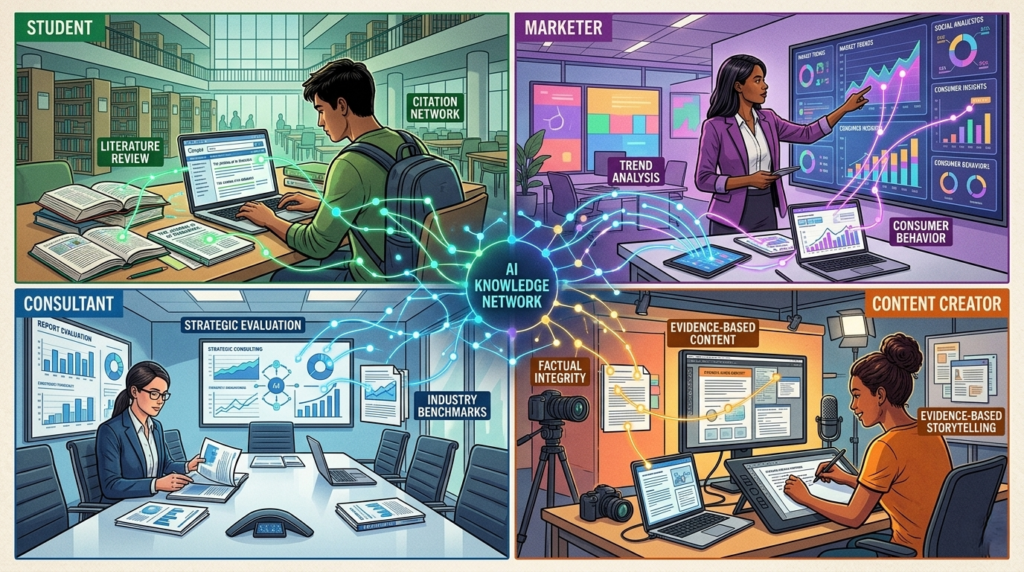
Students
- Literature reviews
- Thesis writing
- Research papers
- Academic projects
Marketers
- Competitor analysis
- Trend research
- Audience insights
Consultants
- Client research
- Industry reports
- Strategic recommendations
Content Creators
- Source gathering
- Fact-checking
- Content planning
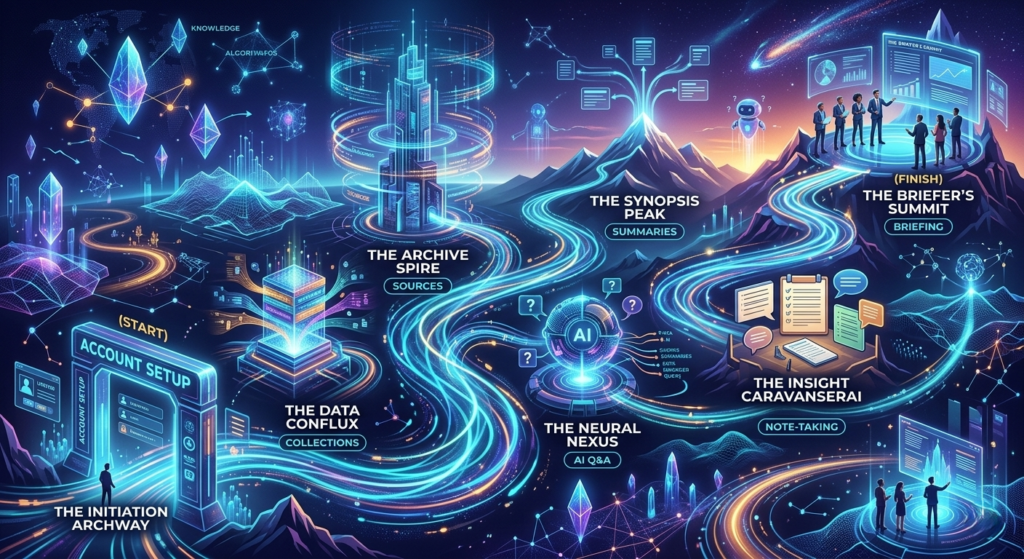
7-Day Otio for Research Implementation Plan
Day 1
Create your account and install the extension.
Day 2
Create your first research collection.
Day 3
Upload 5–10 sources.
Day 4
Practice AI-powered Q&A.
Day 5
Generate your first summary.
Day 6
Use split-screen note-taking.
Day 7
Create a complete research brief.
By the end of the week, you’ll have a structured research workflow that saves time and reduces cognitive overload.
Final Thoughts
Otio for Research is more than a research tool; it is a complete research operating system. For anyone struggling with information overload, Otio for Research provides a practical framework for collecting, understanding, and applying knowledge more effectively.
Instead of drowning in browser tabs, PDFs, bookmarks, and disconnected notes, you create a centralized environment where information becomes easier to understand, analyze, and use.
For students, researchers, consultants, marketers, and content creators, the platform offers a practical way to manage information overload while producing higher-quality work.
As AI-powered research workflows continue to evolve, tools like Otio are helping people spend less time searching for information and more time generating insights from it.
Frequently Asked Questions
Is Otio suitable for students?
Yes. It is particularly useful for essays, dissertations, research papers, and literature reviews.
Can Otio replace note-taking apps?
Not entirely. However, many users find they rely less on traditional note-taking tools after adopting Otio.
Does Otio automatically analyze PDFs?
Yes. Uploaded PDFs become searchable and available for AI-assisted questioning.
Does Otio require an internet connection?
Yes. The platform operates as a cloud-based AI workspace.
Can professionals use Otio for business research?
Absolutely. Marketers, analysts, consultants, and researchers can all benefit from its AI-powered research capabilities.