

AI tools are supposed to save time.
So why do so many people feel more overwhelmed after using them?
One day you install a chatbot for writing.
The next day you test a meeting assistant.
Then comes an automation app, an AI note-taker, and another “must-have” productivity tool from YouTube.
A week later, your browser has 27 open tabs, your workflow feels messier than before, and half the tools are already forgotten.
That is the hidden productivity crisis of 2026.
Most beginners are not struggling because AI is difficult.
They are struggling because they never learned how to build a system around it.
An AI tool without a workflow is just another distraction.
This AI Productivity Challenge is designed to fix that problem step by step.
Instead of chasing dozens of tools, you will build one practical AI-powered workflow over 30 days that actually improves your daily life.
By the end of this challenge, you will:
- Save several hours every week
- Reduce repetitive mental work
- Build smarter daily workflows
- Avoid AI overload and burnout
- Create a repeatable productivity system
- Use AI with clarity instead of chaos
If you are completely new to workflow systems, start with our main guide:
“AI Productivity & Workflow Systems for Everyday Users: The Complete 2026 Guide”
Why AI Productivity Feels Overwhelming in 2026
The biggest problem with modern AI is not complexity.
It is fragmentation.
Every week, new AI apps promise:
- faster writing
- instant automation
- smarter scheduling
- better organization
- effortless productivity
But most users end up switching constantly between tools without building consistency.
This creates:
- decision fatigue
- context switching
- workflow confusion
- prompt overload
- mental exhaustion
Many professionals now report that AI increased their review workload because they spend too much time checking, refining, and reorganizing outputs instead of doing focused work.
That is why this AI Productivity Challenge focuses on systems instead of random tools.
The goal is not to automate everything.
The goal is to reduce friction.
What You Need Before Starting This AI Productivity Challenge
You do not need an expensive setup.
You only need:
- one AI assistant
- one note-taking system
- one task manager
- one workflow goal
That is enough.
Recommended Beginner AI Stack for 2026
| Purpose | Recommended Tool |
| AI assistant | ChatGPT |
| Note-taking | Notion AI |
| Meeting summaries | Fireflies |
| Research organization | Otio |
| Task management | Todoist |
The mistake beginners make is trying to build a “perfect AI stack” before building habits.
Your workflow matters more than your tools.
For beginners building structured note-taking workflows, Notion AI is one of the easiest tools to integrate into a daily productivity system.
AI Productivity Challenge Framework for Beginners
This challenge is divided into four simple phases:
| Week | Goal |
| Week 1 | Build your productivity foundation |
| Week 2 | Create repeatable workflows |
| Week 3 | Reduce AI overload |
| Week 4 | Build a sustainable AI system |
Each week solves a specific productivity problem.
Week 1: Build Your AI Productivity Foundation
Goal:
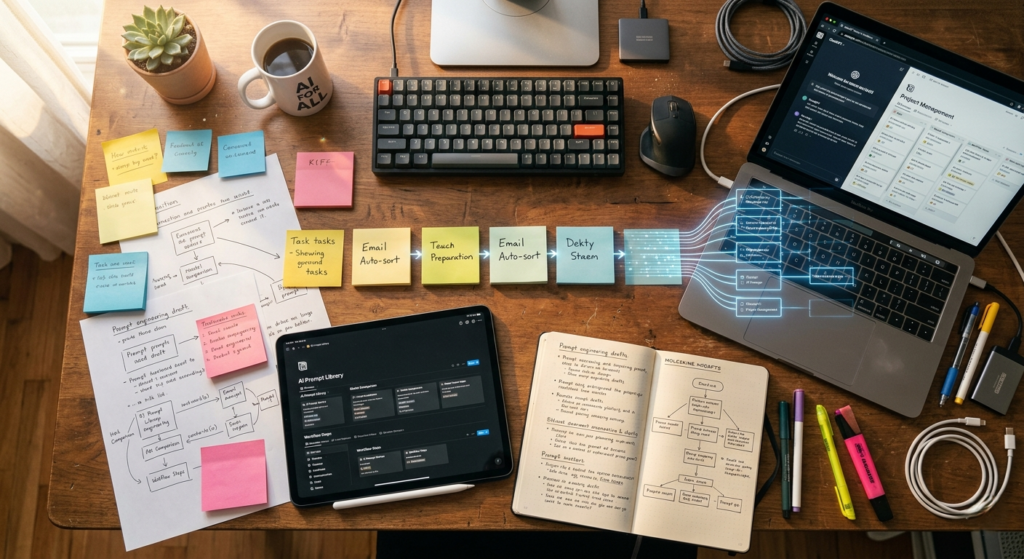
Stop using AI randomly and create structure.
This is where most beginners fail.
They test AI occasionally instead of integrating it into daily habits.
Day 1: Identify Your Biggest Time Drain
Choose ONE productivity problem.
Examples:
- email overload
- meeting notes
- research summaries
- content writing
- scheduling
- repetitive admin work
Do not automate everything at once.
The fastest way to fail this AI Productivity Challenge is trying to fix your entire life in one weekend.
Day 2: Create Your AI Workflow Hub
Open a Notion workspace or Google Doc.
Name it:
“AI Workflow Hub”
Inside it, create sections for:
- favorite prompts
- workflow templates
- automation ideas
- productivity wins
- failed prompts
- repeatable systems
This becomes your personal productivity operating system.
Day 3: Learn Smart Prompting
Most beginners use weak prompts.
Bad example:
“Write me a blog.”
Better example:
“Write a beginner-friendly article introduction explaining how freelancers can reduce email overload using AI tools in 2026.”
The second prompt gives:
- audience clarity
- context
- outcome
- tone direction
That dramatically improves output quality.
Day 4: Automate One Repetitive Task
Choose a simple workflow.
Examples:
- summarize meeting notes
- rewrite messy emails
- create blog outlines
- generate task lists
- summarize research articles
Small wins create momentum.
Day 5: Build an AI Review System
Never trust raw AI output blindly.
Always review for:
- factual accuracy
- clarity
- tone
- repetition
- missing context
- robotic phrasing
AI productivity improves when humans stay involved.
Day 6: Create a Prompt Library
Your best prompts become long-term assets.
Organize prompts into:
- writing
- research
- communication
- planning
- automation
- productivity
This saves enormous time later.
Day 7: Weekly Reflection
Ask yourself:
- Which workflow saved the most time?
- Which tool felt easiest?
- What created confusion?
- What would I repeat next week?
Reflection is what turns experimentation into improvement.
Week 2: Create Repeatable AI Workflows

Goal:
Turn AI into a daily productivity assistant.
This week is where beginners finally start seeing real productivity gains.
Instead of opening AI only when overwhelmed, you start integrating it into normal work routines.
Morning AI Workflow
Start each day with:
- task prioritization
- schedule planning
- focus recommendations
- daily workload summaries
Prompt example:
“Organize my tasks into deep work, shallow work, and urgent tasks.”
This immediately reduces mental clutter.
Many beginners also combine AI planning with task management apps like Todoist to create more consistent daily execution systems.
AI Research Workflow
Research consumes huge amounts of time.
Research-focused AI platforms like Otio help organize articles, summaries, and key insights into a cleaner workflow system.
Instead of reading endless tabs manually:
- summarize articles
- extract key insights
- compare information
- create research notes
This is especially useful for:
- students
- bloggers
- freelancers
- consultants
- business owners
AI Writing Workflow
One of the best beginner workflows is AI-assisted writing.
Use AI for:
- brainstorming
- outlines
- headline ideas
- editing
- restructuring
- summarizing
But avoid publishing raw AI text.
Your ideas and experiences are still the differentiator.
AI Meeting Workflow
Meeting overload is one of the biggest workplace frustrations in 2026.
AI meeting assistants can:
- summarize calls
- identify action items
- create follow-up emails
- organize decisions
This removes hours of manual note-taking every week.
Tools like Fireflies help automate meeting documentation so users can focus more on conversations instead of manual note-taking.
Real-Life Example: Student Workflow
A university student could use this AI Productivity Challenge like this:
| Task | AI Workflow |
| Lecture notes | AI summaries |
| Research papers | Key insight extraction |
| Study planning | AI scheduling |
| Writing assignments | Outline generation |
| Revision | AI flashcards |
Result:
- faster studying
- less overwhelm
- better organization
- improved focus
Real-Life Example: Freelancer Workflow
Freelancers often lose time switching between clients and tasks.
AI can help streamline:
- proposals
- client communication
- meeting summaries
- research
- content planning
- invoicing reminders
Result:
- faster delivery
- lower stress
- better consistency
- more billable hours
Real-Life Example: Small Business Workflow
Small businesses can use AI for:
- customer support drafts
- social media planning
- workflow automation
- scheduling
- document summaries
- operational organization
This reduces operational friction without hiring large teams.
Week 3: Reduce AI Overload and Burnout

Goal:
Use AI without becoming dependent on constant prompting.
This is where many users struggle.
They start generating:
- endless drafts
- too many ideas
- multiple versions
- unnecessary outputs
Eventually productivity drops.
More AI output does not always mean better work.
The Hidden Problem of AI Productivity
AI creates a dangerous illusion of progress.
Generating content feels productive even when nothing meaningful gets completed.
That is why workflow systems matter.
Completion matters more than generation.
Use the 3-Output Rule
Never ask AI for:
- 20 headline options
- 15 workflow ideas
- 10 rewritten paragraphs
Limit outputs to three options.
Why?
Because too many choices increase decision fatigue.
Constraints improve clarity.
Build Human-Only Focus Time
AI should support thinking — not replace it.
Create protected time for:
- deep work
- reflection
- strategic thinking
- creative decision-making
The best productivity systems combine:
- AI efficiency
- human judgment
- focused execution
The Psychology Behind Workflow Consistency
How This AI Productivity Challenge Builds Better Habits
Most productivity systems fail because they depend on motivation.
Good systems depend on habits.
The easiest way to make AI useful long term is:
- attach it to existing routines
- reduce friction
- simplify decisions
- avoid overcomplicated setups
Example:
Instead of saying:
“I will use AI more.”
Say:
“Every morning I will use AI to organize my top 3 tasks.”
Specific systems create consistency.
Week 4: Build Your Long-Term AI Productivity System
Goal:
Turn temporary workflows into sustainable habits.
This final stage combines everything together.
Your AI Productivity Ecosystem
Input Layer
This is where information enters your system:
- emails
- meetings
- tasks
- notes
- research
- documents
Processing Layer
This is where AI helps:
- summaries
- prioritization
- drafting
- organization
- idea generation
- workflow automation
Execution Layer
This is where real productivity happens:
- publishing
- completing tasks
- delivering client work
- communication
- project management
Most people stay stuck in the processing layer forever.
Productive people move into execution quickly.
AI Productivity Challenge: Daily Checklist
Daily Checklist
- Use AI for one repetitive task
- Save one useful prompt
- Review AI outputs carefully
- Reduce unnecessary tabs
- Focus on execution
Weekly Checklist
- Remove unused tools
- Improve one workflow
- Track time saved
- Identify workflow bottlenecks
- Simplify your setup
AI Productivity Metrics You Should Track
One reason people quit productivity systems is because they never measure progress.
Track:
- hours saved weekly
- reduced admin work
- faster task completion
- improved focus time
- reduced stress
- fewer repetitive tasks
Even small gains compound dramatically over months.
Common AI Productivity Challenge Mistakes
Using Too Many Tools
More tools often create more confusion.
Start simple.
Trusting AI Blindly
AI still makes mistakes.
Human review remains essential.
Chasing Automation Instead of Clarity
Automation without structure creates chaos faster.
Switching Systems Constantly
Consistency beats novelty.
Copying Other People’s Workflows
Your productivity system should match:
- your work style
- your workload
- your goals
- your mental bandwidth
Optimization Tips for Better AI Productivity
Create Reusable Templates
Save systems for:
- emails
- summaries
- reports
- client communication
- content workflows
Templates reduce mental effort dramatically.
Use AI Before Starting Tasks
AI is most powerful during preparation.
Use it to:
- clarify direction
- organize thoughts
- prioritize actions
Reduce Tool Switching
The best productivity system is usually the simplest one.
Avoid unnecessary complexity.
Schedule Weekly Workflow Reviews
Every week ask:
- What saved time?
- What created friction?
- Which workflow feels natural?
- Which tool is unnecessary?
Continuous refinement creates sustainable productivity.
FlowSage Pro Internal Resources
Continue improving your workflow systems with:
- How to Use Notion AI for Everyday Writing Tasks
- Fireflies vs Otter vs Granola for Privacy
- Mem vs Notion AI for Everyday Note-Taking
- Zapier vs Make vs n8n for Everyday Users
- Otio for Research: 12 Smart Strategies for 2026
- GrammarlyGO vs Notion AI
- AI Workflow Systems for Freelancers
- Best AI Automation Tools for Beginners
What Happens After 30 Days?
Most people expect dramatic overnight transformation from AI.
That rarely happens.
What actually changes is something more powerful:
You stop wasting energy on repetitive decisions.
You stop starting work from zero.
You stop drowning in scattered tasks.
Instead, you build:
- structured workflows
- repeatable systems
- organized thinking
- faster execution
- reduced mental load
That is the real value of this AI Productivity Challenge.
Not automation for the sake of automation.
But creating enough clarity and structure that your work finally feels manageable again.

Final Thoughts
The biggest productivity advantage in 2026 is not having the newest AI app.
It is knowing how to build systems that reduce friction consistently.
That is why this AI Productivity Challenge works.
You are not trying to become an AI expert overnight.
You are learning how to:
- think more clearly
- work more efficiently
- reduce mental overload
- create repeatable workflows
- use AI intentionally instead of reactively
One workflow at a time.
One improvement at a time.
Because sustainable productivity is never built through hype.
It is built through systems.