
Navigating the productivity landscape by comparing GrammarlyGO vs Notion AI can be surprisingly difficult in 2026, as both platforms offer unique advantages for different professional needs.
Both tools use advanced artificial intelligence to improve productivity, but they solve completely different problems. GrammarlyGO focuses on communication, writing quality, and tone refinement across the web, while Notion AI helps users organize, retrieve, and understand information inside a workspace.
In this GrammarlyGO vs Notion AI comparison, you’ll discover the biggest differences, pricing updates, ideal use cases, and which tool delivers the highest return on investment for your workflow.
Why AI Writing Tools Have Become Essential in 2026
The surge in demand for writing assistants is exactly why users are constantly evaluating GrammarlyGO vs Notion AI to see which fits their daily workflow better. A few years ago, AI writing assistants felt like optional productivity upgrades. Today, they are becoming as common as spellcheck. Whether you’re replying to clients, creating blog posts, documenting meetings, building knowledge bases, or managing projects, AI has quietly inserted itself into nearly every professional workflow. The reason is simple: time has become the most expensive resource in modern work. Most professionals are not struggling because they lack ideas; they are struggling because they spend too much time polishing emails, rewriting reports, organizing notes, and searching for information buried across dozens of applications.
The rise of integrated AI tools has fundamentally changed the way people work. Instead of opening a separate AI platform, copying content, generating a response, and pasting it back into another application, users now expect AI assistance directly inside their existing tools. This shift has created two dominant categories of productivity assistants. The first category focuses on improving communication wherever you write. The second focuses on helping you understand and organize information inside your workspace. GrammarlyGO and Notion AI sit at the top of these categories. While both leverage generative AI capabilities, they solve very different problems. Understanding those differences can save you money, eliminate subscription overlap, and help you choose the platform that genuinely improves your daily workflow.
GrammarlyGO and Notion AI at a Glance
At first glance, GrammarlyGO and Notion AI appear remarkably similar. Both can rewrite text, summarize information, brainstorm ideas, improve clarity, adjust tone, and generate content from prompts. If you only look at marketing pages, you may assume they compete directly. The reality is far more nuanced.
What GrammarlyGO Does Best
GrammarlyGO operates as a writing companion that follows you almost everywhere online. It works inside emails, browsers, documents, project management platforms, social media tools, customer relationship management systems, and countless web applications. Its primary strength is communication enhancement. It excels at refining tone, correcting grammar, improving sentence structure, and helping users communicate professionally in real time. Grammarly’s free plan includes AI features with approximately 100 AI prompts per month, while paid plans significantly increase prompt allowances and advanced writing capabilities. (Sasanova)
What Notion AI Does Best
Notion AI takes a completely different approach. Rather than following you across the web, it lives inside your Notion workspace. Its greatest advantage is context awareness. It can analyze documents, meeting notes, databases, project plans, company wikis, and interconnected workspace content. Instead of simply improving writing, it helps teams understand information spread across large knowledge systems. Recent pricing and feature updates have expanded Notion AI’s workspace intelligence capabilities significantly, particularly within Business-tier environments. (GPT Prompts)

7 Powerful GrammarlyGO vs Notion AI Differences
To understand why the GrammarlyGO vs Notion AI debate is so prevalent, we must look at how each tool handles different information tasks.
Difference #1: Writing Assistance
GrammarlyGO was built primarily for writing improvement.
Notion AI was built primarily for workspace intelligence.
If your daily work revolves around emails, client communication, proposals, and messaging, GrammarlyGO immediately feels more useful.
Difference #2: Workspace Awareness
Notion AI understands documents, databases, notes, and project information stored within your workspace.
GrammarlyGO generally does not maintain this type of organizational memory.
Difference #3: Learning Curve
GrammarlyGO is usually easier to start using because it works directly where you already write.
Notion AI becomes more valuable over time as your workspace grows.
Difference #4: Collaboration
Teams generally gain more value from Notion AI due to shared knowledge management capabilities.
Difference #5: Writing Quality
GrammarlyGO remains stronger for grammar, tone, clarity, and readability improvements.
Difference #6: Knowledge Retrieval
Notion AI excels at finding answers buried across hundreds of pages and documents.
Difference #7: Long-Term Productivity
GrammarlyGO improves daily communication.
Notion AI improves organizational intelligence.
The Core Difference Most Buyers Miss
While both are powerful, the ultimate decision in the GrammarlyGO vs Notion AI comparison comes down to whether you prioritize ambient communication or contextual workspace memory. Most comparison articles focus on features. The smarter comparison starts with philosophy.
Ambient AI vs Contextual AI
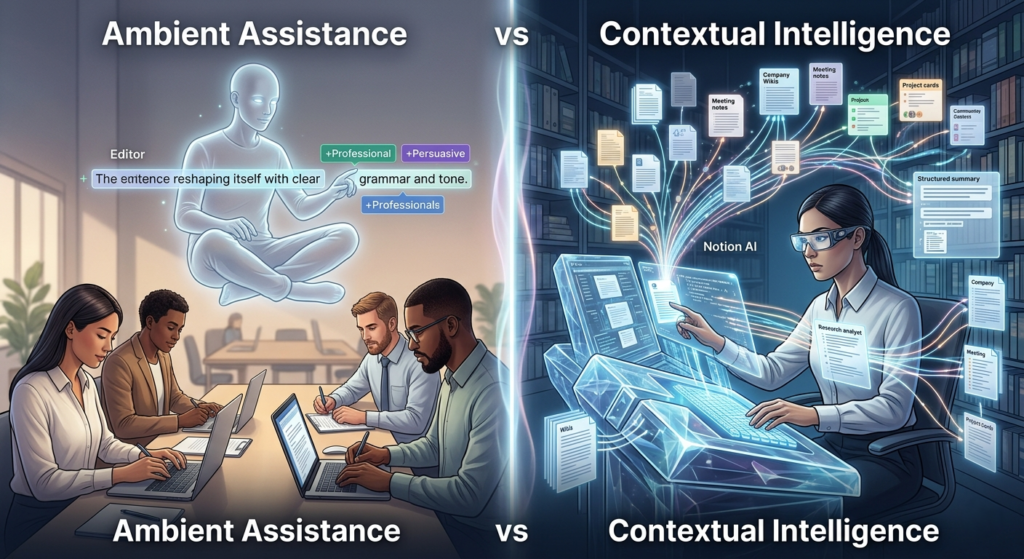
GrammarlyGO is what I call an Ambient AI Assistant. Imagine having a highly skilled editor sitting quietly beside you all day. Every time you write something—an email, proposal, LinkedIn post, Slack message, or customer response—it offers suggestions. It doesn’t need to understand your entire business. It only needs to understand the message you’re writing right now.
Notion AI is a Contextual AI Assistant. Imagine hiring a research analyst who has read every document, project note, meeting transcript, and company wiki page your team has ever created. Instead of focusing on sentence quality, it focuses on organizational intelligence. It helps answer questions, uncover insights, summarize projects, and connect information across your workspace.
This distinction explains nearly every difference you’ll notice during real-world usage. GrammarlyGO improves communication quality. Notion AI improves information accessibility and organizational memory.
Feature Comparison Overview
| Feature | GrammarlyGO | Notion AI |
| Grammar Correction | Excellent | Basic |
| Tone Adjustment | Excellent | Good |
| Workspace Knowledge Search | No | Excellent |
| Multi-Document Analysis | Limited | Excellent |
| Email Writing | Excellent | Limited |
| Team Wiki Integration | No | Excellent |
| Real-Time Editing | Excellent | Moderate |
| Content Summarization | Good | Excellent |
| Blog Draft Generation | Good | Very Good |
| Knowledge Management | Poor | Excellent |
The table tells an important story. GrammarlyGO dominates communication-focused tasks. Notion AI dominates information-focused tasks. The better choice depends entirely on how you spend your workday.
GrammarlyGO for Tone Refinement
One area where GrammarlyGO consistently outperforms competitors is tone management. Professional communication is rarely about grammar alone. Most workplace conflicts emerge because messages sound harsher, colder, or more aggressive than intended.
During practical testing, GrammarlyGO proved exceptionally good at detecting subtle emotional signals hidden within text. A frustrated customer email can be transformed into a calm, solution-focused response within seconds. A direct internal message can become more diplomatic. A hesitant sales proposal can become more persuasive without sounding manipulative.
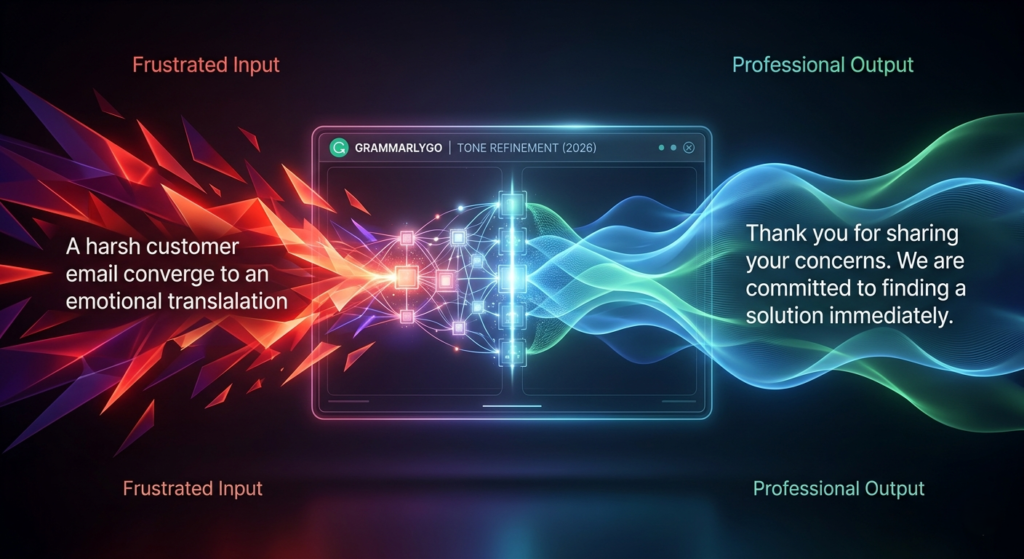
This capability matters more than many people realize. In remote work environments, written communication often replaces face-to-face interactions. Without vocal tone and body language, misunderstandings become common. GrammarlyGO functions almost like an emotional translator, helping users communicate intent more accurately. For freelancers, consultants, managers, sales professionals, recruiters, and customer service teams, this feature alone can justify the subscription cost because stronger communication directly impacts relationships and revenue.
Notion AI for Knowledge Management
Knowledge management sounds boring until information becomes impossible to find.
Every growing organization eventually encounters the same problem. Meeting notes exist in one place. Project documentation lives somewhere else. Strategy documents sit inside forgotten folders. Employees waste hours searching for information that technically already exists.
This is where Notion AI becomes remarkably powerful. Rather than simply generating text, it acts as an intelligent retrieval system. Users can ask questions in plain language and receive answers synthesized from multiple documents across the workspace. Recent platform enhancements have strengthened its ability to work across interconnected databases, project records, meeting notes, and internal documentation. (GPT Prompts)
Think of it like having a librarian who has memorized every book in your company’s library. Instead of manually searching folders, you ask a question and receive an informed answer. For organizations with large documentation systems, this capability can dramatically reduce information friction.

Writing Quality Comparison
If your primary goal is producing polished writing, GrammarlyGO generally delivers superior results.
Its recommendations feel natural and context-sensitive. Rather than aggressively rewriting content, it often enhances existing writing while preserving the author’s voice. This subtlety is important because many AI writing tools unintentionally erase personality.
Notion AI performs well for drafting and brainstorming but occasionally produces text that feels slightly generic. This isn’t necessarily a weakness. Its purpose is broader than writing assistance. It balances content generation with knowledge retrieval, summarization, and workflow management.
For professional communication, GrammarlyGO usually wins. For drafting internal documentation, project plans, and knowledge resources, Notion AI remains highly effective.
Who Should Choose GrammarlyGO?
Best for:
- Freelancers
- Consultants
- Sales professionals
- Customer support teams
- Recruiters
- Bloggers
- Email-heavy professionals
Who Should Choose Notion AI?
Best for:
- Startups
- Remote teams
- Project managers
- Operations teams
- Knowledge workers
- Researchers
- Documentation-heavy businesses
Pricing Comparison in 2026
Pricing has become one of the most confusing aspects of this comparison because both platforms have evolved significantly.
Recent Grammarly pricing information indicates that the free plan includes AI assistance with approximately 100 monthly prompts, while premium tiers provide expanded AI capabilities and advanced writing features. (Sasanova)
Notion AI’s pricing structure has undergone major changes. Several 2026 pricing reports indicate that full AI functionality is now increasingly associated with higher-tier Notion plans, particularly Business-level subscriptions, rather than remaining a simple standalone add-on for all new users. (NotionPricing.com)
| Pricing Factor | GrammarlyGO | Notion AI |
| Free Access | Yes | Limited |
| AI Usage Limits | Prompt-based | Plan-dependent |
| Best for Solo Users | Excellent | Moderate |
| Best for Teams | Good | Excellent |
| Additional Workspace Value | Low | High |
| Knowledge Management Included | No | Yes |
For individual professionals, GrammarlyGO often delivers a lower-cost path to AI-enhanced writing. For teams already invested in Notion, the additional value extends beyond writing assistance into organizational intelligence.
Step-by-Step Setup Guide
Setting Up GrammarlyGO
Getting started with GrammarlyGO is straightforward. Install the browser extension or desktop application, sign into your account, and begin writing as usual. The assistant appears directly within supported text fields. Users can select predefined prompts such as “Make Professional,” “Make Persuasive,” or “Shorten This” while also entering custom instructions. Because GrammarlyGO follows users across websites and applications, adoption is remarkably fast.
Setting Up Notion AI
Notion AI requires a slightly different mindset. After opening a workspace page, users can activate AI functions through commands or dedicated prompts. The real value emerges once documents, databases, meeting notes, and project records accumulate inside the workspace. At that point, users can query their organizational knowledge and leverage AI-powered synthesis across large collections of information.
GrammarlyGO vs Notion AI: Real-World Workflow Examples
Example 1: Freelancer
A freelancer sending dozens of client emails weekly will likely gain more immediate value from GrammarlyGO.
Example 2: Startup Team
A startup managing projects, SOPs, and meeting notes inside Notion often benefits more from Notion AI.
Example 3: Content Creator
Many content creators use Notion AI for planning and GrammarlyGO for final editing.
Which Tool Delivers Better ROI?
Return on investment depends entirely on workflow patterns.
If you spend most of your day writing emails, client proposals, sales messages, social media posts, support tickets, and external communication, GrammarlyGO typically provides stronger immediate returns. Every message becomes clearer, more professional, and more effective.
If your day revolves around documentation, project planning, team collaboration, meeting notes, research archives, and organizational knowledge, Notion AI often delivers greater long-term value. It helps transform information into accessible intelligence.
One tool improves expression. The other improves understanding.
Final Verdict by User Type
Choose GrammarlyGO if:
- You write hundreds of emails every week.
- You communicate with clients frequently.
- Tone and professionalism matter daily.
- You want AI assistance everywhere you write.
- Grammar and clarity are major priorities.
Choose Notion AI if:
- Notion is already your primary workspace.
- You manage extensive documentation.
- You need workspace-wide knowledge retrieval.
- Your team relies on project databases.
- You want AI-powered information synthesis.
Choose Both if:
- External communication drives your business.
- Internal documentation is equally important.
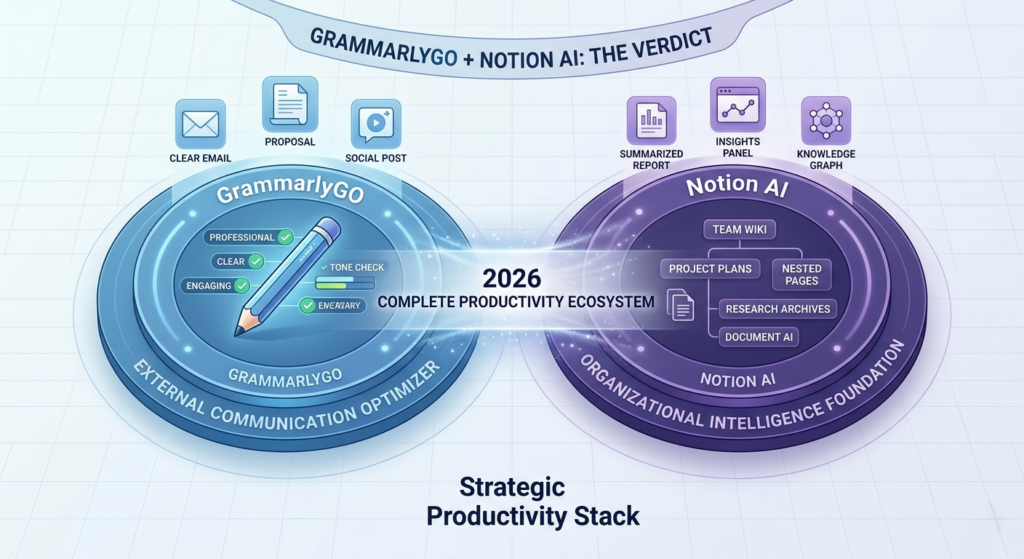
- You want a complete productivity ecosystem.
For most solo professionals, GrammarlyGO is often the better first purchase. For growing teams operating heavily inside Notion, Notion AI frequently becomes the more strategic investment.
Conclusion
The debate around GrammarlyGO vs Notion AI isn’t really about which tool is better. It’s about which problem you’re trying to solve.
GrammarlyGO helps you communicate more effectively wherever you write. Notion AI helps you manage and retrieve information more intelligently inside your workspace.
GrammarlyGO and Notion AI may share AI-powered writing capabilities, but they serve fundamentally different purposes. GrammarlyGO acts as a universal communication coach, helping users write better wherever they work online. Notion AI acts as an intelligent workspace assistant, helping teams organize, retrieve, and synthesize information across large knowledge systems.
The best choice isn’t determined by feature counts. It’s determined by where your work happens. If your productivity challenges stem from communication quality, GrammarlyGO provides immediate benefits. If your challenges stem from information overload and fragmented knowledge, Notion AI offers capabilities that few competitors can match.
Choose the tool that solves your biggest bottleneck today. The productivity gains will follow naturally.
Frequently Asked Questions
1. Is GrammarlyGO better than Notion AI for writing?
For grammar correction, tone refinement, and communication-focused writing, GrammarlyGO generally performs better.
2. Can Notion AI replace GrammarlyGO?
Not completely. Notion AI offers writing assistance, but GrammarlyGO remains stronger for real-time editing, tone adjustment, and communication workflows.
3. Which tool is better for bloggers?
Bloggers who primarily write in Notion may benefit from Notion AI. Those publishing across multiple platforms often prefer GrammarlyGO’s broader integration.
4. Is Notion AI worth it for small teams?
Yes, especially if your team relies heavily on documentation, project tracking, and knowledge management within Notion. (GPT Prompts)
5. Can I use both GrammarlyGO and Notion AI together?
Absolutely. Many professionals use GrammarlyGO for communication and Notion AI for knowledge management, creating a highly effective productivity stack.
6. Is GrammarlyGO worth paying for in 2026?
Yes. Professionals who write emails, proposals, reports, and client communications regularly often recover the subscription cost through time savings and improved communication quality.
7. Does Notion AI work outside Notion?
No. Notion AI primarily functions inside the Notion ecosystem, unlike GrammarlyGO which works across many websites and applications.
8. Which tool should beginners buy first?
Most solo professionals should start with GrammarlyGO because it delivers value immediately without requiring a dedicated workspace setup.